
Create with OpenCraft
Create an editable presentation with AI.
Turn notes, research, and numbers into a slide deck. OpenCraft builds the story, lays out the slides, and delivers an editable PowerPoint with a PDF you can review and share.
Your prompt opens in the composer for you to review and send.
From a data brief to a board update
Real OpenCraft output · Fictional company data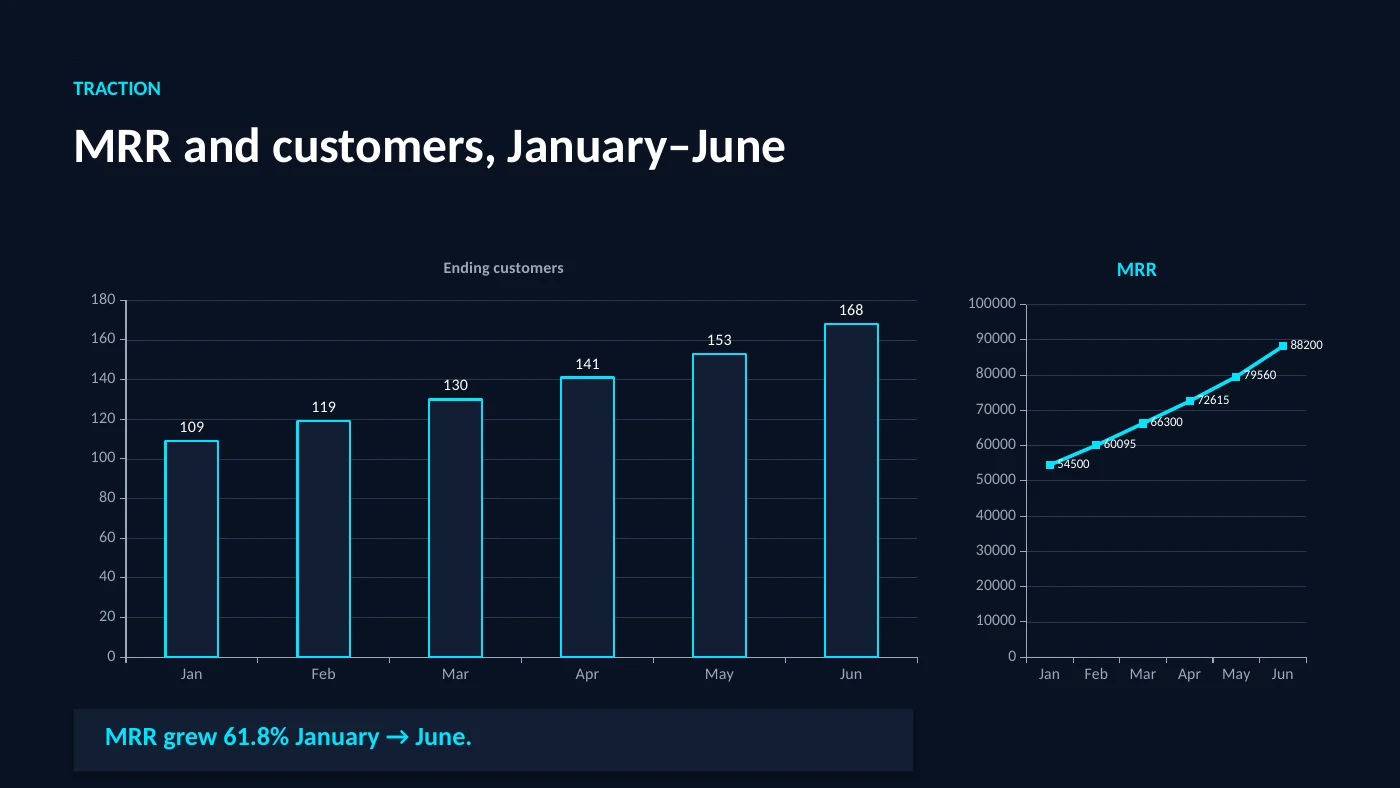
This historical sample has a wrapping issue on slide 6 and a chart-axis compatibility issue. Review the original run and known defects before reusing it. Its recorded charge is an example from that run, not a current price quote.
A presentation for the work in front of you
Sales presentations
Turn a customer brief into a problem, solution, proof, and next step. Supply approved customer stories and product facts.
Board and team updates
Bring the numbers, decisions, and roadmap. Ask for clear charts and a concise account of what changed.
Teaching and training
Build an explanation around the audience’s starting knowledge, with examples and speaker notes for the presenter.
Research presentations
Turn source documents into a storyline, keeping citations and distinguishing evidence from interpretation.
Raising investment? The pitch-deck workflow goes deeper on traction, market evidence, and the fundraising ask.
From source material to finished slides
- Bring the brief. Attach your sources and describe who will see the deck, what they should understand, and what they should do next.
- Shape the story. Review the outline and provide missing facts before committing to the slide layout.
- Build and refine. Ask OpenCraft for the presentation, then request changes to specific slides in the same conversation.
- Download and review. Open the PPTX and its PDF. Check your figures, citations, chart labels, and any fonts your recipient might lack.
You can create custom images and a supporting report from the same project context.
Editable files, visible usage
The main deliverable is a .pptx file. Keep it for editing and use the PDF for review or sending. Ask for editable text, shapes, and charts; photographs and generated images remain image assets.
Choose your chat model in OpenCraft and inspect current model pricing. Long source documents, generated images, and repeated revisions can increase the cost. Check the session’s recorded usage as you work.
For a mature brand template or a presentation with complex animations, check the exported file in your presentation software. OpenCraft’s workflow centers on creating and revising files in chat.
Start with this prompt
Adapt the subject, audience, and output to your project.
Use the complete prompt
Help me create an editable presentation. Ask me for the audience, the decision or takeaway, my source notes or files, the approximate slide count, and any brand colors. Propose a concise slide outline, flag missing facts, then build a 16:9 PowerPoint with editable text and charts where practical, speaker notes, and a PDF rendered from the final PPTX. Review the rendered slides for clipped text and chart labels before delivering.
Frequently asked questions
Can I download an editable PowerPoint?
Yes. OpenCraft creates a PPTX you can download and edit in PowerPoint. The accompanying PDF is rendered from that presentation, so you can review the exported slides before sharing.
Can I use the presentation in Google Slides?
You can import the downloaded PPTX into Google Slides. Check fonts, charts, and layout after importing, because presentation applications can render the same file differently.
Can I make slides from a document or PDF?
Yes. Attach your source material and describe the audience, purpose, and approximate slide count. Tell OpenCraft which facts and figures to use and ask it to flag missing information.
Can I revise a deck after it is generated?
Yes. Ask for changes in the same conversation, such as shortening a slide, replacing a chart, or changing the visual direction. Download the revised PowerPoint and review its PDF again.
How much does an AI presentation cost?
Cost depends on the chosen chat model, the amount of source material, any generated media, and revisions. The historical sample here is one observed run, not a fixed deck price. Check current model rates and your session usage.